The Best Gaming Laptops 2024
These models offer a great mix of powerful CPUs and GPUs without falling into the bottleneck trap. Whether you’re into AAA titles, esports, or content creation, these laptops have been selected for their excellent performance and value.
Check out what’s on top in October 2024, and find the right high-performance laptop for your needs.
Budget friendly laptop
In this category, I focused on laptops with Intel i7 or Ryzen 7 processors paired with RTX 4070 or RTX 4080 GPUs. When shopping in this range, your own research and finding a good deal are key.
If you’re thinking about buying something less powerful, I’d recommend waiting for a sale or saving up a bit more to ensure your new laptop has at least an i7 or Ryzen 7 with an RTX 4070+.
However, if you’re looking for an even more budget-friendly option, check out the CPU benchmark list mentioned earlier in this article. You can find a good i5 or Ryzen 5 processor paired with something like an RTX 4060, which should come in well below £1000.
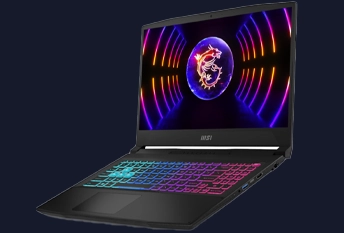
Our pick as the best budget gaming laptop.
- Price
- £1,099.99
- Specs:
- Intel i7-13620H,
- RTX 4070
- 16GB RAM
- TB SSD
- 15.6-inch FHD display (144Hz)
Price explained:
This model offers a solid gaming experience with an RTX 4070, but the FHD 144Hz display and lower-tier i7-13620H processor make it more affordable compared to others in this category.
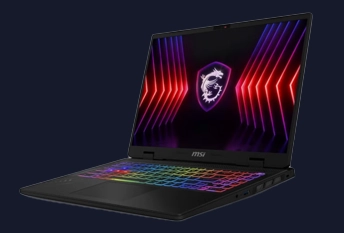
-
Price
-
£1,399.00
-
-
Spec
-
Intel i7-14700HX
-
RTX 4070
-
16GB RAM
-
1TB SSD + 1TB HDD
-
16-inch QHD+ display (240Hz)
-
Price explained:
The QHD+ display with a 240Hz refresh rate and the i7-14700HX processor drive up the price, offering better performance and a higher resolution than FHD models.
With 1TB SSD + 1TB HDD, there is plenty of storage space. This makes it best affordable gaming laptop.
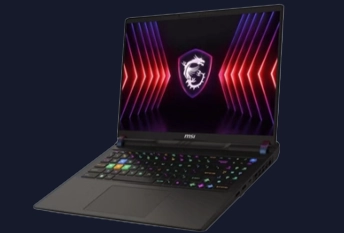
- Price
- £1,549.00
- Spec
- Intel i7-14700HX
- RTX 4080
- 16GB RAM
- 1TB SSD
- 16-inch QHD display (240Hz)
Price explained:
This model features an RTX 4080 GPU, which significantly boosts gaming performance. It also has a QHD display with a 240Hz refresh rate, making it a strong contender in this range.
Mid-Range Excellence
I considered both the Intel i9-13980HX and the newer i9-14900HX. The 13980HX, though a few months older, still offers great performance and can be found at a good price with an RTX 4080, which is why it made the list.
However, be sure to check current prices for the 14900HX with RTX 4080 or even RTX 4090, as well as the 13980HX with RTX 4090.
You might score a great deal during stock clearance!
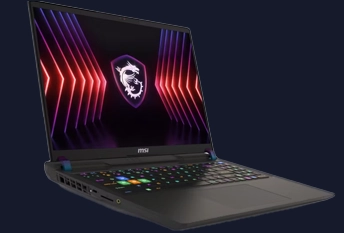
- Price
- £1,699.99
- Spec
- Intel i9-13980HX
- RTX 4080
- 16GB RAM
- 1TB SSD
- 16-inch FHD display (165Hz)
Price explained:
This model has a smaller 16GB RAM and an FHD display with a lower 165Hz refresh rate, making it a more affordable mid-range option.
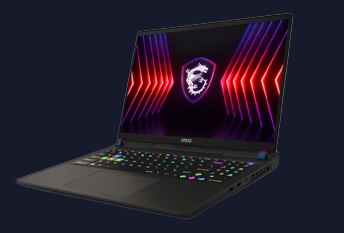
Our pick as great gaming laptop.
- Price
- £1,899.95
- Spec
- Intel i9-14900HX
- RTX 4080
- 32GB RAM
- 1TB SSD
- 17-inch QHD display (240Hz).
Price explained:
The i9-14900HX processor and 240Hz QHD display, paired with 32GB RAM, make this laptop a powerful gaming machine, with a newer CPU pushing the price up compared to similar models with older processors.
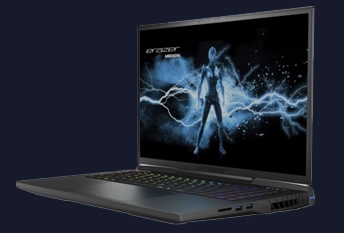
- Price:
- £2,299.97
- Spec:
- Intel i9-13900HX
- NVIDIA RTX 4080
- 32GB RAM
- 2TB SSD
- 17.3-inch QHD display (240Hz)
Why the price is competitive?
- This laptop features a large 2TB SSD and RTX 4080 with a 240Hz QHD display.
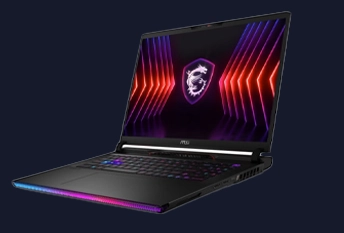
- Price:
- £2,499.00
- Spec:
- Intel i9-14900HX
- RTX 4080
- 32GB RAM
- 4TB SSD
- 17-inch QHD display (240Hz)
Price explained:
This model stands out with its 4TB SSD and the latest Intel i9-14900HX processor.
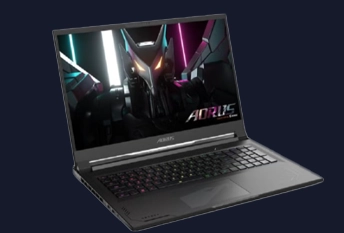
- Price:
- £2,579.97
- Spec
- Intel i9-13980HX
- RTX 4090
- 32GB RAM
- 1TB SSD
- 17.3-inch QHD display (240Hz)
Price explained:
This laptop features a top-tier RTX 4090 GPU, a powerful Intel i9-13980HX processor, and a high-refresh-rate 240Hz QHD display, making it one of the most powerful options available.
High Performance
These laptops pack the most powerful components available, including the RTX 4090 and high-end processors like the Ryzen 9 7945HX. They’re designed for gamers who want the absolute best performance for AAA titles and content creation.
Prices vary due to features like dual screens, larger displays, or advanced cooling systems. Always check different retailers for the best deal!
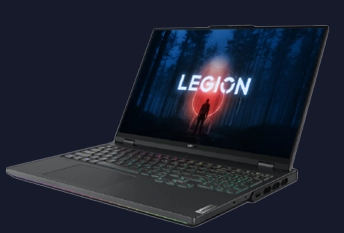
- Price:
- £2,799.99
- Spec:
- AMD Ryzen 9 7945HX
- RTX 4090
- 32GB RAM
- 1TB SSD
- 16-inch WQXGA display
Price explained:
This model has a smaller SSD (1TB) and a 16-inch screen, which makes it more affordable compared to the others in this category.
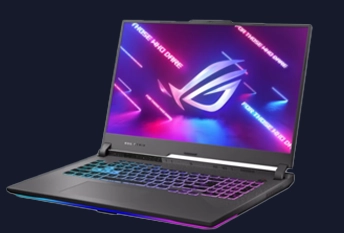
- Price:
- £3,199.97
- Specs:
- AMD Ryzen 9 7945HX
- RTX 4090
- 32GB RAM
- 2TB SSD
- 17.3-inch QHD display (240Hz)
Price explained:
This Asus gaming laptop has the larger 17.3-inch display with a high 240Hz refresh rate and 2TB of storage drives the price up compared to smaller models.
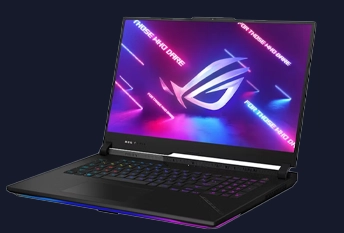
Our pick as the greatest gaming laptop at the moment.
- Price:
- £3,299.99
- Spec:
- AMD Ryzen 9 7945HX3D
- RTX 4090
- 32GB RAM
- 2TB SSD
- 17.3-inch WQHD display (240Hz)
Why it’s worth the price:
This model stands out due to its Ryzen 9 7945HX3D processor with 3D V-Cache technology, which offers a significant gaming performance boost.
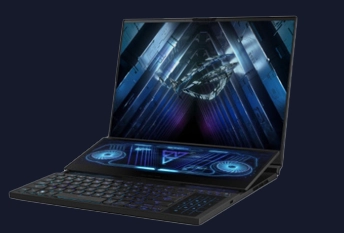
- Price:
- £3,799.99
- Spec:
- AMD Ryzen 9 7945HX
- RTX 4090, 32GB RAM
- 2TB SSD
- 16-inch WQXGA dual-screen design.
Price explained:
The unique dual-screen design adds significantly to the price, making it the most expensive option in this category.
Complementary Equipment for Simulator Enthusiasts
As the manufacturer of Delanclip head tracking, we encourage you to expand your gaming setup with Delanclip.
By incorporating Delanclip, you’ll not only boost your gaming experiance but also increase your overall immersion, especially in simulators like Farming Simulator, Assetto Corsa, DCS, Arma 3, MSFS, and Elite Dangerous and many more.
If you’re ready to raise your experience, check out how Delanclip works and discover the difference it can make in your gameplay. Plus, as a special bonus, use the code ‘greatArticle’ at checkout for a 5% discount on our products.
Enjoy the gaming!
Key Components of a Gaming Laptop
When buying a laptop, you can’t just rely on what the salesperson tells you. You need to understand the key components that impact performance. I’ll break them down for you, starting with the most important one for gamers; the GPU.
Here’s a list of key components to consider and what to focus on:
GPU – The Heart of Gaming Performance
Nvidia GPUs: The Go-To for Most Gamers
If you’ve been shopping around, you’ve probably heard of Nvidia. They’ve been dominating the GPU market for years, and for good reason. A lot of people still use Nvidia’s older GTX series, which is great for those on a budget. But here’s the thing: GTX is the older line and lacks newer features like ray tracing. They use a simple naming system—GTX 1050 breaks down like this: “10” is the generation, and “50” is the model within that generation. The higher the number, the better the GPU. Simple, right?
You’ll also see some GPUs with “Ti” or “Super” at the end; these are just upgraded versions that come out later and are generally more powerful than the base models.
But if you want to future-proof your laptop, you should consider RTX. The RTX cards have ray tracing (which makes games look super realistic) and DLSS, a feature that boosts frame rates without sacrificing quality. Currently, the RTX 4090 is the best you can get, but heads up; it comes with huge power consumption.
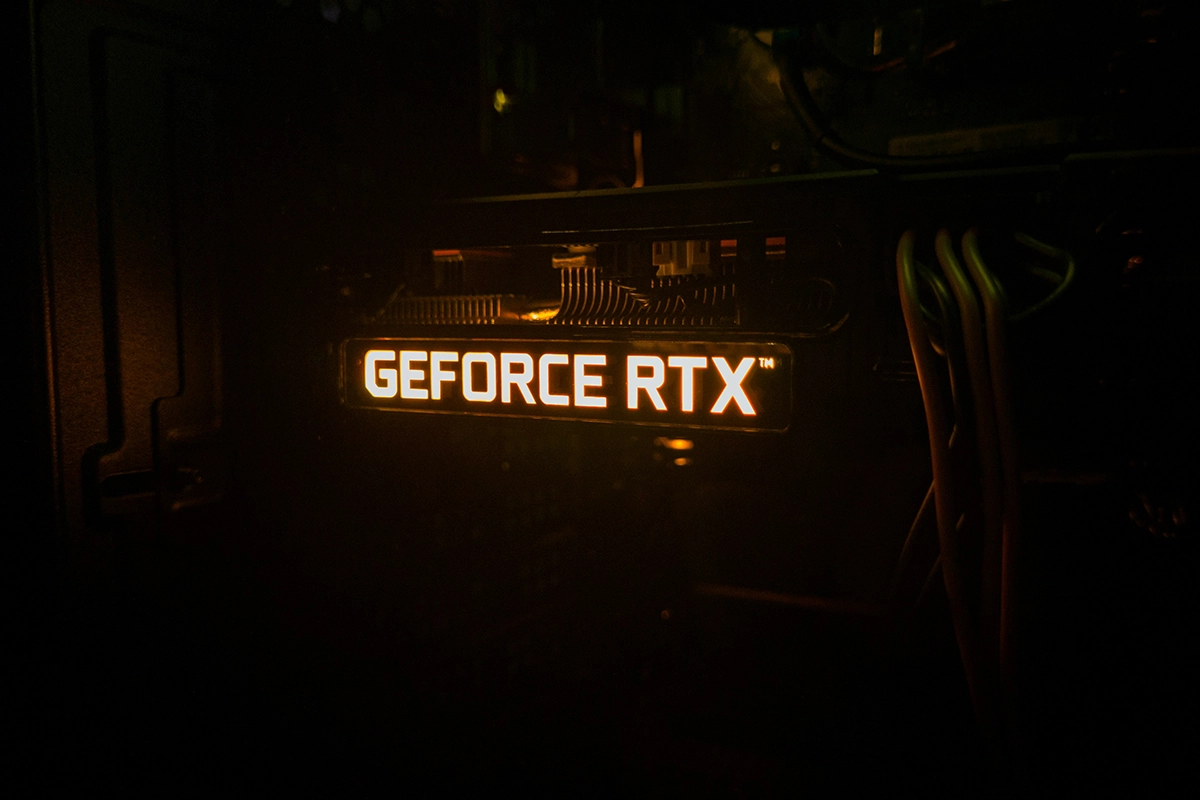
How to Compare Nvidia GPUs: Key Points
- GTX vs. RTX:
- GTX is older and lacks ray tracing. RTX offers better performance, with ray tracing and DLSS for better visuals and smoother gameplay.
- Generation Number:
- The first two digits indicate the generation. Higher numbers mean newer tech (e.g., RTX 30xx is newer than RTX 20xx).
- Model Number:
- The last two digits indicate the performance tier within that generation. The higher the number, the more powerful the GPU (e.g., RTX 3060 < RTX 3080).
- “Ti” or “Super”:
- These indicate upgraded versions of existing models with slightly better performance (e.g., RTX 3060 Ti > RTX 3060).
Radeon (AMD) GPUs: A Viable Alternative
Nvidia may dominate the market, but AMD Radeon GPUs are a great alternative, offering strong performance at a lower price.
AMD’s RX series competes well with Nvidia’s RTX line. For example, the RX 6800M and RX 6700M perform similarly to the RTX 3070 and 3060, especially in games optimised for AMD hardware.
However, AMD’s ray tracing isn’t as advanced as Nvidia’s. If ray tracing is a priority, Nvidia is the better choice. Still, for most gamers, AMD GPUs provide excellent value, especially when paired with Ryzen CPUs, thanks to Smart Access Memory which boosts performance.
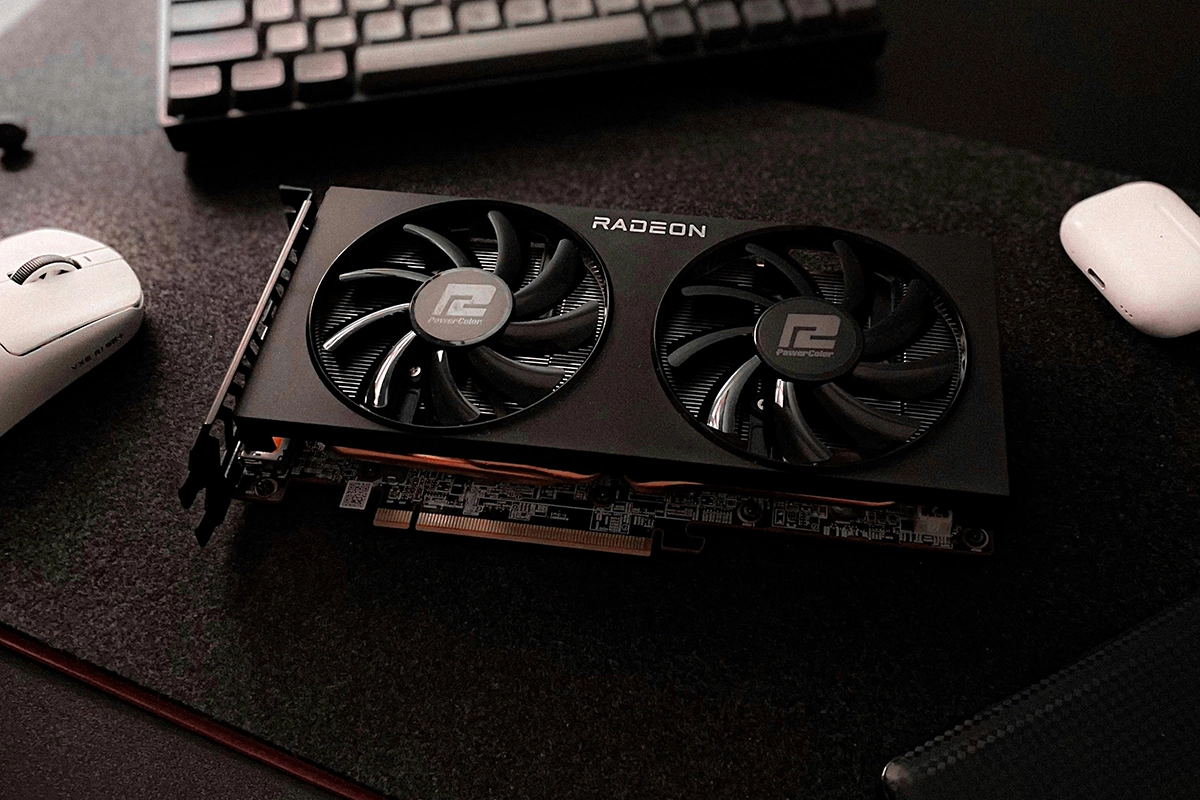
How to Compare AMD Radeon GPUs: Key Points
- RX Series: AMD’s RX series is the counterpart to Nvidia’s RTX lineup. Radeon cards are typically labelled RX XXXX, where the number helps identify the generation and performance tier.
- Generation Number: The first digit indicates the generation. For example:
- RX 5000 series (older) – Good for budget gaming.
- RX 6000 series (newer) – Better performance and closer to Nvidia’s RTX in gaming.
- RX 7000 series (latest) – Cutting-edge, powerful GPUs for high-end gaming, though still behind Nvidia in ray tracing.
- Model Number: The next digits indicate the performance tier, similar to Nvidia’s naming system. For example:
- RX 6600 (entry-level, best for 1080p gaming).
- RX 6700M (mid-range, comparable to Nvidia RTX 3060).
- RX 6800M (high-end, competes with Nvidia RTX 3070).
- RX 7900 XTX (latest high-end GPU for 4K gaming, competing with Nvidia’s 4080).
- M for Mobile GPUs: The M suffix on the model indicates it’s a mobile version (laptop GPU). Desktop versions typically don’t have an “M.”
Smart Access Memory (SAM): When paired with an AMD Ryzen CPU, AMD’s Smart Access Memory boosts performance by allowing the CPU to fully access the GPU’s memory. This feature offers a slight performance edge, especially in games optimised for AMD hardware.
Battery Life – Prepare to Stay Plugged In
So, here’s the deal: high-performance laptop are power-hungry beasts. Don’t expect good battery life, especially if you’re gaming on a high-end model like one with the RTX 4090.
These components demand a lot of energy, and unfortunately, these laptops aren’t designed to last long without being plugged in. If you’re buying a laptop, you’re basically committing to sitting near a socket most of the time.
CPU – Powering Your Performance
- Intel vs. AMD Ryzen: Which One to Choose?
When it comes to gaming laptops, you’ll mostly see Intel and AMD Ryzen processors. Intel offers i5, i7, and i9 models, while AMD competes with their Ryzen 5, 7, and 9 series. For casual gamers, an Intel i5 or Ryzen 5 will do the job, but for more demanding games or multitasking, an i7 or Ryzen 7 is recommended.
However, it’s essential to consider bottlenecks when choosing a processor. A bottleneck occurs when a powerful CPU is paired with a weaker GPU, limiting the overall gaming performance. Even the best GPUs in a laptop may not fully utilise an extremely powerful CPU, meaning you’re paying for extra power that won’t be fully used.
- Understanding CPU-GPU Bottlenecks
CPUs in laptops can sometimes be so powerful that they outpace the GPU’s capacity. While high-end CPUs like Intel’s i9 or Ryzen 9 are designed for top performance, they can create bottlenecks if paired with mid-range GPUs like the RTX 3060 or RX 6700M. This means the GPU can’t keep up with the CPU’s processing power, and as a result, the extra CPU power goes to waste.
In other words, while the CPU could handle more demanding tasks, the overall performance is constrained by the GPU’s limitations. As a result, you’re paying for extra CPU power that doesn’t translate into noticeable gaming performance improvements. A well-balanced system is key for optimal gaming performance.
- Pro Tip:
Use websites like CPU Benchmark to compare processors. Choose from the top-ranked CPUs and then apply the advice from the GPU section to ensure the best overall performance for your budget. Remember, the balance between CPU and GPU is crucial to avoid bottlenecks and get the most out of your gaming laptop. Keep in mind that prices will vary depending on other components like RAM and storage.
- RAM – How Much Do You Really Need?
Let’s talk about RAM. A lot of people overlook this, but it’s crucial for gaming performance. These days, 16GB of RAM should be your absolute minimum. Anything less, and you’re going to run into issues with modern games.
That said, if you’re planning on doing more than just gaming—like video editing or heavy multitasking—32GB of RAM might be a better option. Even in gaming, as games get more complex, you’ll thank yourself for the extra memory down the road. Plus, it’s an easy upgrade later if your laptop allows it, so keep that in mind when buying.
Storage – SSD vs. HDD
SSD is the name of the game in 2024. If your laptop doesn’t have one, don’t buy it. Simple as that.
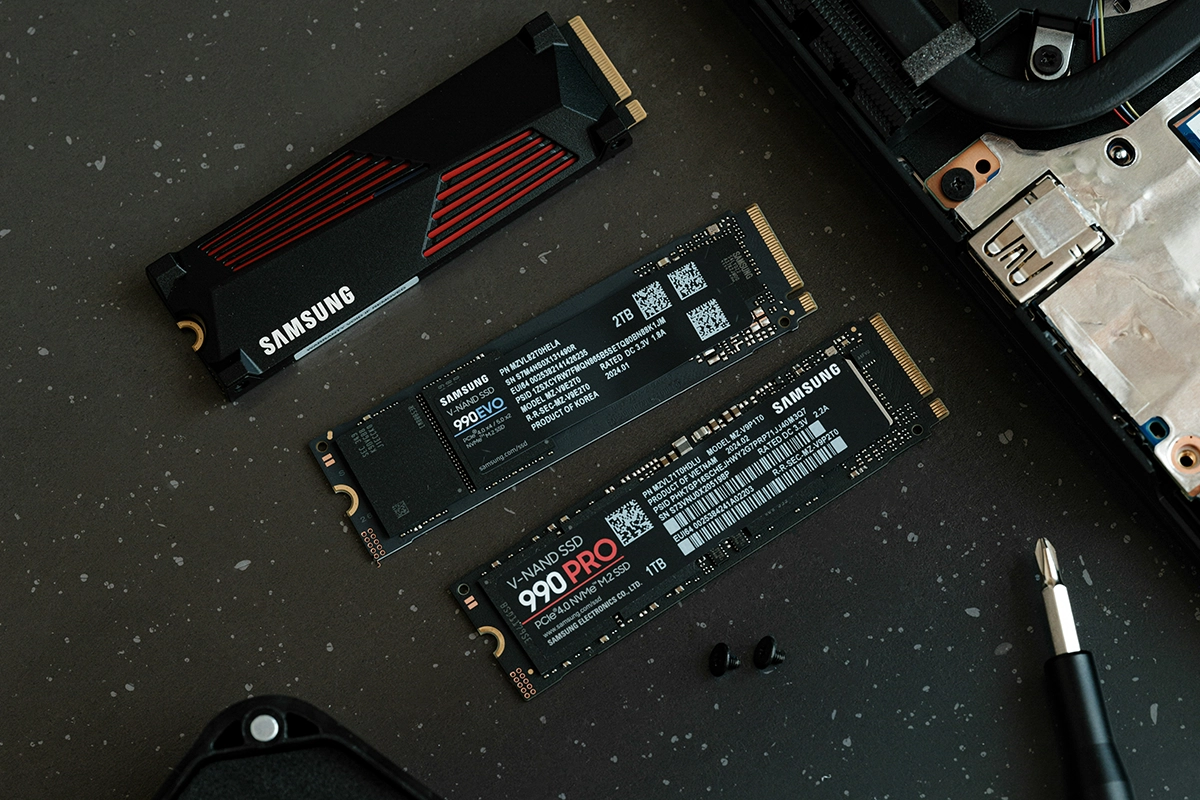
Here’s why: SSDs are way faster than traditional HDDs (hard drives). This means faster boot times, faster game load times, and quicker installation of large files. For a gaming laptop, you should be looking at at least 512GB of SSD storage. Ideally, though, 1TB will give you more breathing room, especially if you like to keep a lot of games installed at once (and let’s be honest, modern games can eat up your storage quickly).
Some laptops offer a combination of SSD and HDD storage, which is fine too. You’d store your games and main programs on the SSD for speed, while using the HDD for larger files, like videos or backups.
Display – Why Refresh Rate Matters for Gaming
The display on your gaming laptop is more than just a pretty screen—it can impact your gaming performance.
If you’re serious about gaming, you’ll want a laptop with at least a 144Hz refresh rate. This means the screen refreshes 144 times per second, making everything look smoother, especially in fast-paced games like shooters. Standard laptops usually come with 60Hz or 120Hz displays, but for gaming, 144Hz or even 240Hz is ideal.
If you’re more into content creation or need colour accuracy for your work, look for a screen with higher NTSC or sRGB percentages. These standards measure colour accuracy, which is important for designers and content creators.
Cooling System – Keep Your Laptop from Overheating
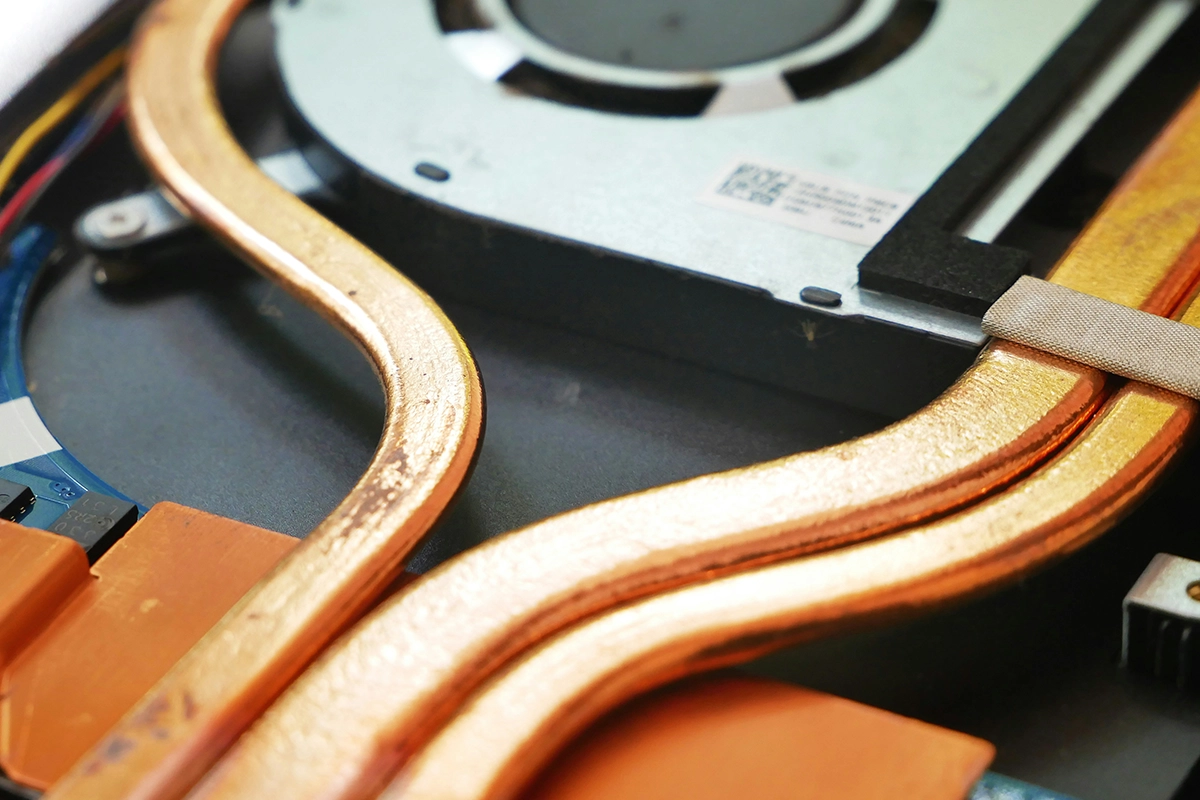
Laptop for gamers can get hot, and overheating can really hurt performance. You’re running a powerful GPU and CPU in a compact space, so proper cooling is a must.
Look for a laptop with a solid cooling system—multiple fans, heat pipes, or even vapour chambers. These can help keep temperatures down and maintain performance during long gaming sessions. If you’re extra worried about heat, you can always grab an external cooling pad. It’s a simple addition that can make a huge difference, especially if you’re pushing your laptop to its limits.
Build Quality and Portability – Durability Matters
Laptops for gamers aren’t known for being lightweight, and that’s because they pack a lot of power. If you’re buying one, you should expect it to be on the heavier side, especially with high-end components inside.
Make sure the laptop is sturdy. Look for materials like aluminium or magnesium alloy in the build. These are more durable and can better protect your investment if you’re carrying it around frequently. It’s not uncommon to pay a bit more for a model with better materials, but it’s worth it if you want your laptop to last.
Ports and Connectivity – Stay Versatile
Ports might not seem like a big deal until you realise you don’t have enough of them! When buying a gaming laptop, make sure it has enough USB ports (preferably USB 3.0 or USB-C) to connect your mouse, headset, and any other peripherals you’ll need.
You’ll also want an HDMI port for external monitors and an Ethernet port for wired internet (which is often more stable for online gaming). Laptops with Thunderbolt 4 support or USB-C with display output capabilities are great for future-proofing, as they can handle high-speed data transfers and support multiple monitors.
Price vs. Performance – How to Get the Best Deal
When you’re shopping for a these powerfull machines, you’ll quickly realise that prices can vary wildly, even between models with similar specs.
To avoid overpaying, here’s what you should do:
- Use the CPU Benchmark List – Check out CPU Benchmark to find out which processors are the best right now. Search for laptops that use these top CPUs across different retail sites.
- Compare prices – Check the prices on several websites for the same or similar models. Prices will vary based on the GPU, RAM, and storage, but this is a great way to find a deal
- Watch out for sales tactics – Sometimes stores will push older models with a “great discount,” but these often come with outdated components. Make sure you’re not just buying because of a sale; focus on the specs you need.