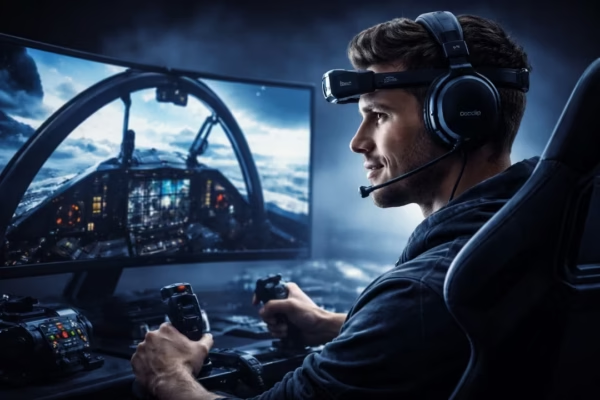
Ever tried triple monitors for sim driving games… and felt like something was still missing?
You’ve got 45° angled screens.
You’re sitting 13 inches from the display.
Your wheel is almost touching the monitor.
And yet — it still doesn’t feel fully alive.
That’s exactly where IR head tracking changes everything.
This is a real-world setup from George, one of our users, who runs triple monitors for sim racing and flies in Wings Over Flanders Fields. No VR. No compromises. Just a dialed-in IR head tracking configuration that feels natural, subtle, and incredibly immersive.
Let’s walk through it.
The Setup: Triple Monitors Done Right
George runs:
- ~45° monitor angles
- 13 inches from eyeball to screen
- Wheel almost touching the center display
This is important.
Because with triple monitors positioned correctly, IR head tracking doesn’t replace your screens.
It enhances them.
Your eyes stay focused mostly on the track ahead.
Your head movement is subtle.
The screens do most of the peripheral work.
Head tracking simply adds depth.
Why Not VR?
Let’s address the elephant in the cockpit. VR is immersive. No question.
But it also means:
- Wearing a headset
- Heat
- Lower graphics settings (in many rigs)
- No quick keyboard access
- Harder streaming or recording
With triple monitors + IR head tracking, George says it gets very close to VR immersion — without the downsides.
You keep:
- Full visual clarity
- High graphics settings
- Comfort for long sessions
- Real-world awareness
And you gain natural movement inside the 3D world.
That’s the magic of properly tuned IR head tracking.
Subtle, Not Wild – The Sim Racing Preset
This is where most people get it wrong. They overdo it.
George customized his TrackIR preset specifically for driving:
- Small amount of yaw (quick left/right glances)
- Minimal pitch (looking at dash instruments)
- Very slight roll (leaning into apexes)
- Overall extremely subtle movement
He describes it perfectly:
“I’m augmenting my natural head movement. My eyes stay mostly focused on the track ahead.”
That’s exactly how IR head tracking should feel in racing.
It’s not about dramatic head turns.
It’s about micro-movements that add spatial awareness.
This is where many triple-monitor users struggle. Movement feels “off” because curves aren’t tuned for triples.
But once dialed in?
It feels locked-in and stable.
Flight Sim Is a Different Beast
For Wings Over Flanders Fields, things change.
This title runs on a single screen (triples stretch poorly). Here, George uses a more aggressive IR head tracking preset:
- Looking fully back to tail
- Leaning sideways past cockpit frame
- Leaning forward/down into cockpit
- Looking upward in dogfights
No roll support in WOFF — so that axis is disabled.
Different game.
Different preset.
Same IR head tracking foundation.
That’s the flexibility you simply don’t get with static view setups.
The Hardware Journey (Real-World Tweaks)
This part is pure gold.
Mounting the camera wasn’t instant perfection.
George:
- Added rubber under the camera stand
- Used bluetack to stabilize the front feet
- Positioned camera slightly left of center
- Added slight left angle for better stability
- Tilted the Delan clip slightly for symmetry
That’s real-world tuning.
And here’s something important:
Delanclip is fully compatible with TrackIR camera and software.
George runs his setup with a TrackIR 5 camera and TrackIR software — paired with Delanclip Fusion Pro — and reports flawless tracking.
If you’d like to see how this works in practice, we’ve demonstrated Delanclip working with a TrackIR camera here:
This compatibility gives users freedom. You can mix hardware and still enjoy rock-solid IR head tracking.
Why IR Head Tracking Works So Well with Triple Screens
Triple monitors already give peripheral coverage.
What they lack is depth and motion parallax.
That’s where IR head tracking shines.
Small head movement = world shifts naturally.
Leaning forward = cockpit instruments get closer.
Looking left = side monitor + subtle rotation combine.
It doesn’t replace triples.
It completes them.
And because Delanclip Fusion Pro is wireless, there’s no cable drag during movement — especially useful in tight racing rigs.
You can check the product here:
https://delanclip.com/product/delanclip-fusion-pro/
IR Head Tracking vs VR (Friendly Reality Check)
If you love VR — amazing. It’s brilliant tech.
But for many sim racers:
- Long sessions matter
- Comfort matters
- Graphics clarity matters
- Physical cockpit visibility matters
And in that context, IR head tracking with triple monitors often becomes the sweet spot.
You stay grounded.
You stay comfortable.
And you stay immersed.
That balance is why many experienced sim racers choose this route.
Even major simulation communities like iRacing show how competitive sim racing thrives on high-precision monitor-based setups.
The Learning Curve (Honest Truth)
George said something very important:
“It’s taken me a long time to get all this working the way I want it.”
Triple screens add complexity.
TrackIR software has many variables.
Camera positioning matters.
But here’s the key:
He never got it as good as it is now… before switching to Delanclip.
Once the hardware tracking became consistent and reliable, tuning became meaningful.
That’s the difference solid IR head tracking hardware makes.
Recommended Games for IR Head Tracking
If you’re curious what titles work well with this kind of setup, check our updated recommended games list.
You’ll find racing sims, flight sims, truck simulators and more.
Anywhere you can look around naturally — IR head tracking enhances it.
Final Thoughts – Realism Without a Headset
If you’re running triple monitors and feel like something’s missing…
If VR doesn’t quite fit your style…
If you want natural immersion without wearing a headset…
Then properly tuned IR head tracking might be exactly what your setup needs.
Not exaggerated.
Not flashy.
Just subtle, stable, and immersive.
George’s rig proves it.
And honestly?
There’s something deeply satisfying about turning your head slightly into a corner… and watching the world respond exactly as it should.
That’s immersion done right.
F.A.Q. – Frequentely Asked Questions
Is Delanclip compatible with TrackIR camera?
Yes. Delanclip is fully compatible with TrackIR camera and software, as demonstrated in our video above.
Is IR head tracking better than VR?
It depends on preference. Many sim racers prefer IR head tracking with triple monitors for comfort, clarity, and long-session usability.
Can I use different presets for racing and flight sims?
Absolutely. Many users run subtle presets for racing and more aggressive ones for flight simulation.
Does IR head tracking work with triple monitors?
Yes — and when tuned properly, it feels incredibly natural and enhances motion parallax.